
n8n is a powerful workflow automation tool that lets you connect different apps and services without writing complex code, and it’s simply a no-code platform. Think of it like a bridge between your favorite tools like slack, google sheet and etc.
When something happens in in one app, n8n can automatically trigger action in another.
Alright, What makes n8n unique? I say it’s flexibility, you can either use their cloud service or host it yourself (self-hosted) on your own server or local server.
Let’s get to the point.
This is part of my complete n8n beginner guide — where I cover everything from install to AI agents.
What is n8n Cloud?
Cloud n8n is the easiest way to get started. Simply create an account at n8n, and you’re ready to build automations within minutes. n8n handles all the technical stuffs and heavy liftings such as server maintenance, security updates, backups and scaling. You just need to focus on creating a workflow. that’s literally great isn’t it?
Click Here to Start with n8n Cloud
What is Self-hosted n8n?
Self-hosted n8n means you download the opensource software and run it on your own server. This could be AWS, Hostinger, Digital Ocean or even your local computer. You’re in complete control over your data, customization and scaling – but you’re responsible for keeping everything running smoothly, that’s all on you.
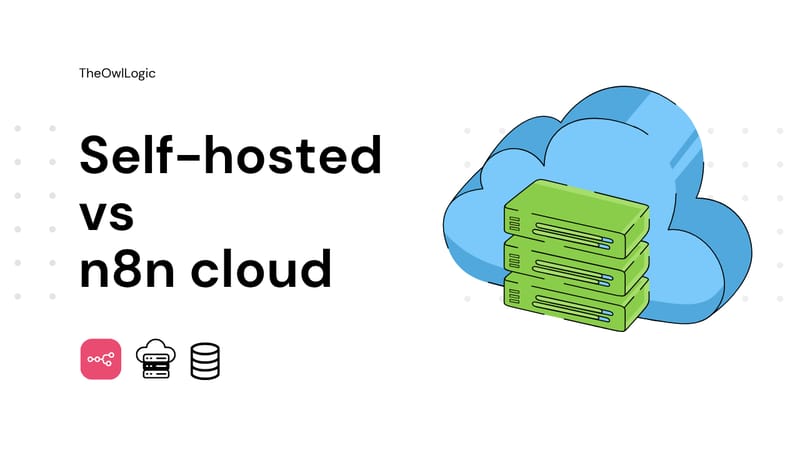
Alright, that’s great, now you know that what is what? and I hope you understood the difference between self-hosted and n8n cloud. Let’s see the comparisons, This is where we actually testing out the water in terms of everything.
Detailed Comparison Between Self Hosted & Cloud
| Aspects | 😶🌫️ Cloud | 🖥️ Self-hosted |
| Cost | Subscription-based, starts free then scales with usage | Free software, but you pay for server hosting + maintenance time |
| Setup & Ease use | 2 minutes to start, zero technical knowledge needed | Requires server setup, Docker knowledge helpful, 30-60 minute initial setup |
| Maintenance | Handled by n8n team | You handle updates, backups, security patches |
| Data Privacy & Security | Data stored on n8n’s servers | Complete data ownership, runs behind your firewall |
| Customization | Standard features only | Full access to customize, add custom nodes |
| Scalability | Automatic scaling handled by n8n | You manage server resources and scaling |
| Support | Email support, community | Community-only (free), or enterprise support (paid) |
When to Choose n8n Cloud?
Cloud n8n is maybe perfect choice for many users and organizations. I also starts with a n8n cloud and obtained the first 14 days free trial. Well, here are the key scenarios where the cloud may come in handy for you. Just try to put yourself in these below buckets?
1. You’re New to Automation and Wants to Start Quickly
If you’re just beginning your automation journey, cloud n8n removes all the technical barriers. There is no need to understand servers, hosting and deployment process. Simply visit this n8n, as I stated above, register it and then start your workflow simple as that.
The cloud platform also provides a gentler learning curve because you only need to think about creating an automation.
2. You Have a Small Team Without IT Resources
Not every business has a dedicated IT department or tech wiz. If you’re team consists primarily of marketers, growth specialists, sales people, customer support agent, or other non-technical roles, ahem. then Cloud is the best bet for you.
3. You Want a Predictable Monthly Costs
Cloud n8n operates a transparent execution-based pricing model, making it easy for you to forecast a predictable monthly automation cost. Unlike other automation sites that charge per tasks or operations.
n8n charges based on the complete workflow execution which means one workflow run counts as execution regardless of how many step it contains (or nodes).
Aye, now I hope you could easily put yourself in these above buckets, and let’s head to the n8n cloud pricing model.
Current n8n Pricing Model (2025)
n8n generously offers 14-days free trial with no credit card required, so you can test the platform risk free. After that you can consider these plans.
Starter Plan: $20/month
- 2,500 workflow executions per month.
- Unlimited workflows, users and steps
- Perfect for individual and small teams getting started
- Email support included.
Pro Plan: Starting at $50/month
- 10,000 workflow executions per month (scales up to 50,000 executions for $120/month)
- Everything in Starter Plan.
- Best for growing teams with moderate automation needs
Enterprise Plan: Custom Pricing
- Unlimited exeuction.
- 365 days of insights.
- Dedicated support with SLAs
- Custom integrations
- Advanced Security Features
- For large organizations with mission critical workflows.
I should appreciate n8n because of their transparency and no hidden costs, Your monthly bill is actually straightforward, no surprise charges for infrastructure, maintenance, security patches, or SSL certificates. Everything is included in the subscription.
Let’s say you’re a small marketing agency running
- 3 workflows that sync leads from your website to CRM (Triggered ~50 times/day) = 1500 executions/month.
- 2 daily scheduled workflows for social media reports = 60 executions/month
- 1 workflow that processes customer feedback form (~15 per day) = 450 executions/month
Total: ~2010 executions/month = This fits comfortably within the starter plan at $20/month. You know your exact cost, and as your agency grows, you can easily track when it’s time to Upgrade to PRO.
When to Choose Self-hosted?
Self-hosted n8n gives you complete ownership and control over your automation infrastructure. While it requires technical knowledge to configure it. Here’s when self-hosted makes most sense.
1. You Need Complete Data Control and Privacy
in Self-hosted, your data never leaves your infrastructure whether it in a dedicated server or your local computer. so basically, Every workflow executions, every piece of customer information stays with you and your infrastructure.
2. You’re In a Regulated Industry
Regulated industries like Healthcare, finance and government sectors often have strict compliance requirements that makes self-hosting not just a preferrable option but mandatory.
3. You Have a Technical Experts In-House
Ideally, you have someone on your team who comfortable with DevOps such as maintaining the server, monitoring, docker containerization, troubleshooting technical issues.
For companies building technical teams, self-host n8n can also serve a valuable learning experience. Your team gets hand-on experience with modern automation platform, and infrastructure management – Skills that benefits your organization beyond.
4. Community Support
While you won’t have a dedicated professional support on the free community, n8n has an active community forum with over 45k members, ready to help you troubleshoot issues and share solutions. If you need a guaranteed support, the self-hosted Business and Enterprise plan offers SLAs and direct access to n8n’s team.
5. You’re Running High-Volume of Workflows (Cost-effective at Scale)
Here’s where the economy of self-hosted shines, At low volumes, cloud n8n is often cheaper – but as your automation scales, self-hosting becomes significantly more cost-effective.
Let’s compare them with actual VPS from Hostinger
- Starter Plan: 2,500 executions/month = $20/month
- Cloud Pro Plan: 10,000 executions/month = $50/month
- Cloud Pro Plan: 50,000 executions/month = $120/month
Self hosted on Hostinger VPS – Hostinger offers VPS hosting specifically optimized for n8n starting at $4.99/month that makes easy n8n installation with pre-configured Ubuntu template and docker setup that just takes you few clicks.
- KVM 1 – $4.99/month (1 vCPU, 4GB RAM, 50GB NVMe) – Good for light workflows
- KVM 2 – $6.99/month (2 vCPU, 8GB RAM, 100GB NVMe) – Recommend starting point for all users
- KVM 3 – $9.99/month (4 vCPU, 16GB RAM, 200GB NVMe) – For complex workflows.
Alright let’s look at the practical examples, because I always wanted to give you some extra clarification. Let’s split up to 3 scenarios
| 10k executions/mo | 50k executions/mo | 200k executions/mo | |
| Cloud Plan | Cloud Pro Plan | Cloud Pro Plan | Enterprise Plan |
| Cloud Cost | $50/mo | $120/mo | $500+/mo |
| Self-host Plan | Hostinger KVM 2 | Hostinger KVM 2 | Hostinger KVM 2 |
| Self-host cost | $6.99/mo | $6.99/mo | $9.99/mo |
| Monthly Savings | $43/mo | $113/mo | $490/mo |
| Yearly Savings | $516/year | $1356/year | $5880+/year |
Maybe you would think like this? Can I use n8n + Hostinger directly without going to n8n cloud. YES! you can do this as well. For an instance, assume that you have already a KVM1 server.
- Hostinger KVM 1 : $4.99/month = unlimited executions
- n8n Cloud: $20/month = only 2,500 executions
Even with just 1,000 executions/month, You’re saving $15/month ($180/year) with Hostinger.
My Honest Recommendation for Small Workflows
Choose Hostinger if,
- You’re comfortable with basic tech (or willing to learn)
- You want to save money in long-term
- You might scale up later.
- You have few hours to set it up properly.
- Your workflows might grow beyond 2,500 executions
Choose n8n cloud if,
- You’re completely non tech-related.
- You need automation TODAY (urgency matters)
- Your value simplicity over savings
- You don’t want maintenance responsibility
- You’re under 2,500 executions and will stay right there.
ASK Yourself – “Is Savings $180/year worth spending 2-3 hours on initial setup?“
- If YES – Go to Hostinger
- if No – Start with Cloud
My Final Thoughts
Choose n8n Cloud if you want zero setup, have limited technical skills, or run under 10,000 executions monthly—pay $20-50/month for complete peace of mind. Choose self-hosted (Hostinger) if you’re comfortable with basic tech and want unlimited executions for under $10/month, especially beyond 10,000 runs where savings multiply. Not sure? Start with cloud’s free trial to learn n8n, then migrate to self-hosted once comfortable. Either way, you’re getting one of the most cost-effective automation platforms available.